Paper Textures Backgrounds
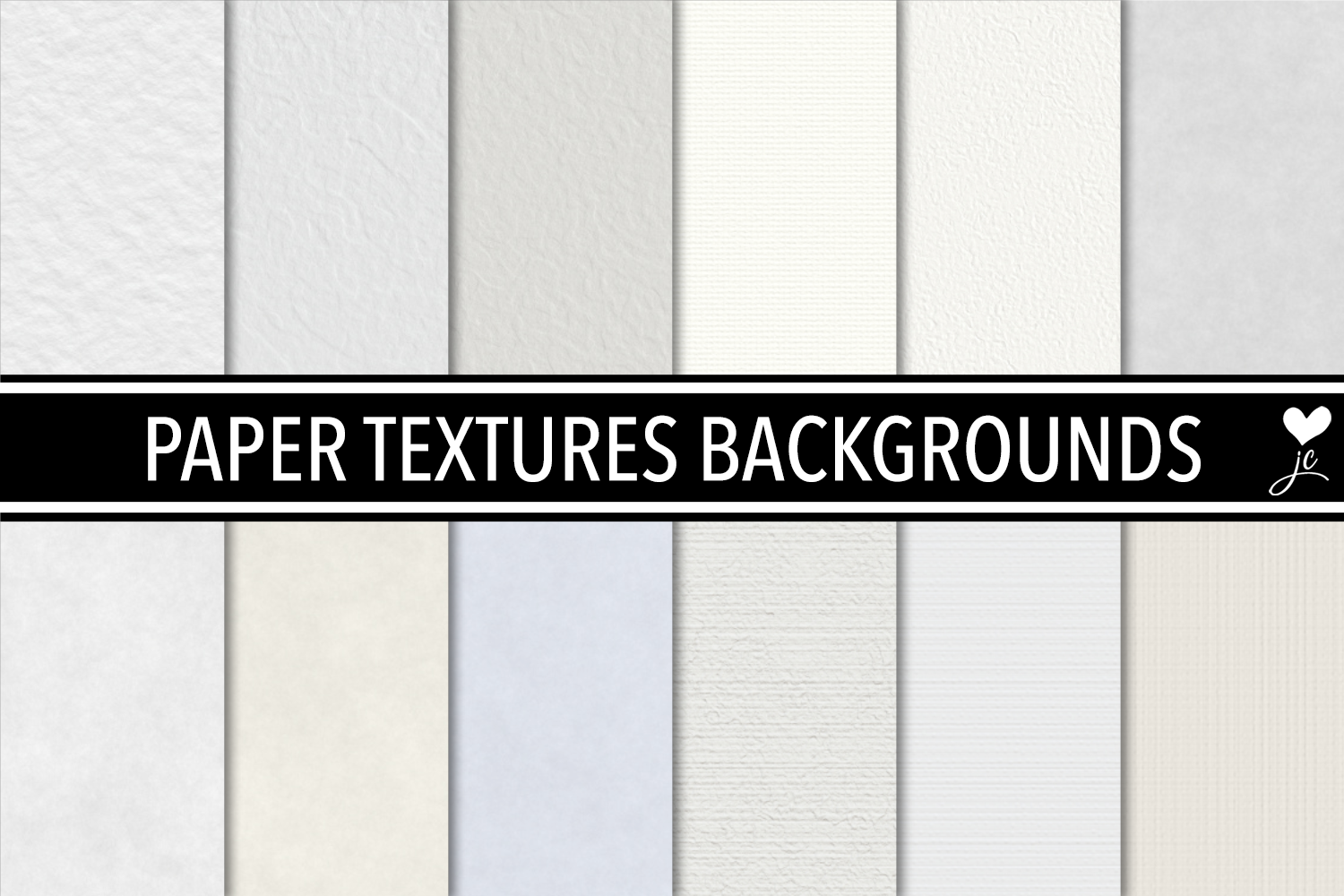
If you’ve ever tried to add warmth, tactility, or quiet sophistication to a digital design—only to end up with something flat, artificial, or overly glossy—you’re not alone. That’s where Paper Textures Backgrounds steps in: a thoughtfully curated set of 24 versatile, neutral-toned, and finely textured papers designed specifically for creators who value authenticity over flash.
These aren’t just scanned scraps or heavily filtered stock photos. They’re seamless, high-resolution textures—12 JPEGs and 12 matching Photoshop PAT files—each built to behave like real paper under digital tools. Whether you’re sketching in Procreate, painting in Photoshop, laying out a blog post, designing a printable planner, or preparing print-ready marketing materials, these backgrounds respond naturally to brushes, overlays, and blending modes. And because they’re truly seamless, you can tile them across any canvas size without visible seams or awkward repeats.
A common mistake: assuming all “paper textures” work the same way
Many designers download the first “vintage paper background” they find—only to discover it’s low-res (72 dpi), cropped tightly (no tiling), or saturated with yellowed tones that clash with their brand palette. Others assume a texture labeled “seamless” actually tiles smoothly—only to spot repeating grain patterns or inconsistent lighting when zoomed in.
With Paper Textures Backgrounds, that risk is eliminated. Each JPEG is precisely 3000 × 3000 pixels at 300 dpi—equivalent to 10 × 10 inches—and carefully tested for true seamlessness. No stretching, no distortion, no guesswork. That means your watercolor overlay won’t expose a hard edge mid-canvas, and your social media banner won’t pixelate when scaled for Instagram Stories or printed as a 12×12 inch poster.
Another overlooked detail: format confusion between JPG and PAT
It’s easy to overlook how much time you’ll save—or lose—based on file format. A JPEG works anywhere: Canva, Figma, Affinity Designer, even PowerPoint. But if you’re deep in Photoshop or Photoshop Elements and repeatedly dragging, resizing, and aligning the same texture, you’re working against the tool—not with it.
The 12 included Photoshop pattern (.PAT) files solve that. Once loaded, they appear in your Pattern Overlay, Fill, or Paint Bucket menus—and scale automatically to any layer size. No manual tiling. No alignment frustration. Just one click to fill a 500-pixel square or a 24-inch wide print layout with consistent, crisp paper grain.
Here’s what many miss: those PAT files weren’t converted from low-res sources. They were generated directly from the original 3000 × 3000 pixel, 300 dpi JPEGs. So unlike some pattern packs that blur or soften when enlarged, these retain fine detail—even at 400% zoom.
Don’t skip the resolution check—especially for print
Let’s say you’re designing a wedding invitation suite. You select a soft ivory paper texture, lay down elegant calligraphy, and export at 72 dpi for email proofing. Everything looks lovely—until you send it to your local print shop. Suddenly, the subtle fiber detail vanishes, edges look muddy, and the texture feels “off.” Why? Because print requires resolution the web doesn’t: 300 dpi minimum, ideally at final physical dimensions.
Paper Textures Backgrounds delivers exactly that—no upsampling needed. At 3000 × 3000 pixels and 300 dpi, each texture prints cleanly at 10 × 10 inches. Scale it down for business cards (3.5 × 2 inches) or up using proper interpolation for larger formats—and it holds up. That reliability saves time, avoids reprints, and protects your client’s trust.
Neutral tones aren’t just “safe”—they’re strategic
You might wonder why this pack avoids bold colors or dramatic distressing. It’s intentional. Strong hues compete with typography and illustrations; heavy grunge distracts from content. These textures use carefully balanced neutrals—warm oat, cool stone, soft ash, muted clay—that recede gracefully while adding depth.
Think of them like good typography: invisible when done right, but essential for tone and readability. A light-textured background makes a handwritten quote feel intimate. A slightly rougher one adds gravitas to an educational slide deck. A smooth, fibrous surface grounds minimalist branding without shouting.
What to verify before downloading or purchasing
Before adding any paper texture pack to your toolkit, ask yourself three things:
- Is the seamlessness verified? Zoom in on the corners and edges of the preview image. Do fibers, speckles, or shadows line up cleanly—or do you see abrupt breaks or mismatched contrast?
- Are both digital and print needs covered? Check the stated DPI and pixel dimensions. If it’s listed as “web ready only” or shows no physical size equivalent (e.g., “10 inches at 300 dpi”), treat it as screen-only.
- Are the Photoshop patterns truly matched—and usable? Some sellers bundle PAT files generated from compressed JPEGs or outdated versions. With Paper Textures Backgrounds, every PAT corresponds exactly to its JPEG counterpart—same lighting, same scale, same grain fidelity.
Real-world use cases—and why consistency matters
A freelance educator uses these textures to design printable worksheets: the subtle tooth helps students visually distinguish sections without overwhelming young readers. A small-biz owner building a Shopify store applies the same warm-toned paper as a background across product banners, email headers, and PDF lookbooks—creating cohesion across touchpoints. A blogger sketches daily reflections in Procreate, then layers a faint paper texture beneath ink lines to soften digital harshness.
In each case, it’s not about “adding paper” as decoration—it’s about reinforcing intention. Texture signals care. Neutrality signals clarity. Seamlessness signals professionalism.
One last practical note: licensing and flexibility
These textures come with broad usage rights—ideal for commercial projects, client work, and personal exploration alike. You’re free to layer them, adjust opacity, blend with color overlays, or combine with other assets (like hand-drawn elements or vector icons). What’s not allowed—and what you should watch for elsewhere—is restrictive licensing that bans resale, prohibits editing, or limits output formats.
With Paper Textures Backgrounds, you own the freedom to adapt. Not just today—but as your tools, platforms, and creative goals evolve.