Palm Leaf Tropical Background
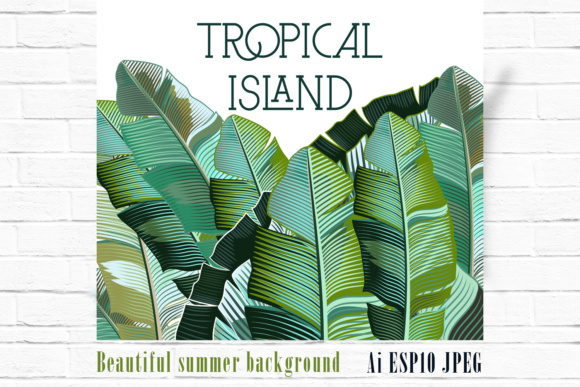
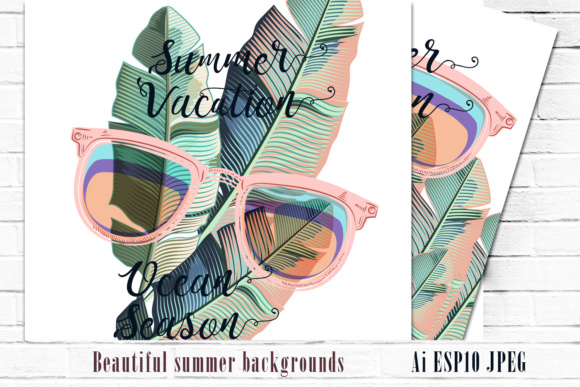
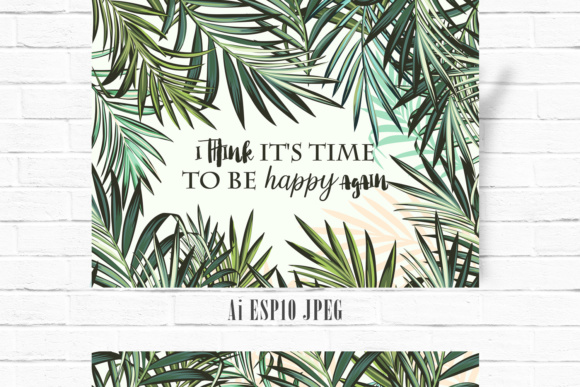
A well-chosen background asset can quietly elevate an entire design—whether it’s a boutique clothing label launching a summer collection, a wedding stationery designer crafting save-the-date cards, or a small business owner refreshing their social media templates. The Palm Leaf Tropical Background is a vector-based creative resource built around hand-drawn palm leaf motifs. It’s not a photographic texture or a generic clipart compilation—it’s a curated set of 100 high-detail, scalable vector elements, all unified by botanical accuracy and rhythmic visual flow.
What You’re Actually Getting
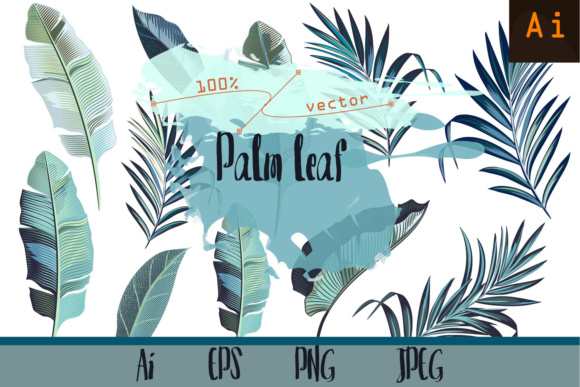
This isn’t a single JPEG wallpaper or a low-res PNG overlay. The Palm Leaf Tropical Background delivers three core file types: one Adobe Illustrator file (CS2-compatible), one EPS10 vector file for broad software compatibility, and a single high-resolution JPEG preview (5000×5000 pixels) for quick reference or client sharing. That structure signals intentionality—this is designed for production use, not just inspiration.
The 100 vector elements aren’t random leaves tossed into a folder. They’re drawn with consistent line weight, subtle variation in curvature and veining, and intentional negative space between forms. That consistency matters when building repeat patterns or adjusting scale across formats—from a 2-inch fabric swatch to a 6-foot trade show banner. Because they’re vectors, each leaf retains crispness at any size, without pixelation or loss of fidelity.
Practical Flexibility Across Use Cases
Designers working across disciplines will find the Palm Leaf Tropical Background adaptable—not because it’s “one-size-fits-all,” but because its construction supports deliberate adaptation.
- Textile & Apparel Design: The individual vector leaves can be arranged into seamless repeats using Illustrator’s pattern tool or manual tiling. Their clean outlines and balanced proportions translate well to screen printing on cotton tees or digital textile printing on linen blends—no moiré or aliasing issues common with raster-heavy assets.
- Stationery & Print Collateral: Wedding designers have used subsets of these leaves to frame names on save-the-date cards or create elegant borders for invitation suites. The hand-drawn quality reads as artisanal rather than stock, helping small studios differentiate their offerings without custom illustration fees.
- Digital & Social Templates: When building Instagram story templates or Canva layouts for travel brands or wellness coaches, isolated leaves serve as organic dividers or corner accents. Their vector origin means they scale cleanly on both mobile and desktop previews.
- Interior & Surface Design: Some interior designers have imported the EPS into CAD-adjacent tools to mock up accent walls or tile layouts. While not a full-wallpaper file out of the box, the modularity allows for controlled density—sparse for minimalist spaces, dense for tropical-themed hospitality venues.
Quality and Workflow Considerations
The hand-drawn origin is evident in subtle ways: slight irregularities in leaf taper, asymmetrical branching, and gentle line variation that avoids mechanical repetition. That human touch helps avoid the “too-perfect” fatigue common in algorithmically generated botanicals. But it also means this isn’t a plug-and-play “drag-and-drop background.” Users should expect to spend time arranging, rotating, and layering elements—not because the files are flawed, but because the strength lies in their compositional flexibility.
Compatibility is solid for professional design workflows. CS2 support ensures legacy users aren’t excluded, while EPS10 remains widely readable across vector editors (Affinity Designer, CorelDRAW, Inkscape). The absence of layered PSDs or Figma files isn’t a limitation—it reflects the focus on vector-first utility over platform-specific convenience.
One realistic note: the JPEG preview is strictly for reference. It doesn’t represent a ready-to-use background image. Anyone expecting a pre-assembled, tiled, or color-adjusted JPG will need to build that themselves. That’s not a shortcoming—it’s alignment with how professional designers actually work: starting from clean, editable components rather than flattened outputs.
Who Benefits Most—and When It Might Fall Short
The Palm Leaf Tropical Background serves creators who value control, scalability, and stylistic cohesion over speed-of-deployment. Freelance surface pattern designers building seasonal collections, boutique branding agencies developing cohesive launch kits, or educators creating classroom materials with nature themes will likely integrate these leaves efficiently into existing pipelines.
It’s less suited for users needing immediate, out-of-the-box solutions—like non-designers setting up a Shopify store in under an hour or marketers without vector editing experience. There’s no drag-and-drop web interface, no auto-color-swapping tool, and no built-in color palettes. Those features would dilute the precision and editability the set prioritizes.
Also worth noting: the aesthetic is distinctly tropical—but not cartoonish or clichéd. These aren’t oversized, neon-bright fronds meant for tiki bars. They lean toward botanical illustration, making them viable for upscale resort branding, eco-conscious product packaging, or editorial layouts where authenticity matters more than exuberance.
Real-World Integration Tips
Based on observed usage across design teams, here’s what tends to work well:
- Start small. Rather than attempting a full repeat pattern first, isolate 3–5 leaves and experiment with rotation, scaling, and layering order. This reveals how the elements interact spatially before committing to larger compositions.
- Leverage Illustrator’s Global Colors. Assign a base green (or coral, sand, teal) as a global swatch. That lets you adjust hue, saturation, and lightness across all leaves simultaneously—critical when matching brand guidelines or testing seasonal variations.
- Combine with photography carefully. When overlaying on real-world imagery—say, a beach photo for a travel blog header—use Multiply or Soft Light blending modes instead of Opacity reduction. The hand-drawn lines hold up better against textured backgrounds this way.
- Test at output size. Before sending fabric files to print, place a 12×12 inch tile at 100% scale and zoom to actual pixels. This catches unintended gaps or overlaps that aren’t visible at thumbnail size.
Long-Term Value Beyond the First Project
Vector assets like the Palm Leaf Tropical Background age well—not because trends don’t shift, but because their foundational qualities remain usable across contexts. A leaf element drawn with anatomical awareness and clean curves doesn’t become “dated” the way photorealistic textures or heavily stylized illustrations sometimes do. It can be recolored, simplified, combined with newer assets, or even redrawn as part of a larger system without discarding the original intent.
For professionals maintaining a personal library of reusable components, this set functions as a reliable anchor point. It’s not flashy, but it’s dependable—like having a well-calibrated set of brushes rather than chasing every new brush pack. That kind of reliability compounds over time: fewer sourcing decisions per project, more consistent output, and less time spent re-creating basic botanical motifs from scratch.
If your work involves recurring need for organic, scalable, non-generic foliage—especially where tropical or coastal associations add meaningful context—the Palm Leaf Tropical Background delivers measurable utility. It won’t replace custom illustration, but it provides a thoughtful, production-ready foundation that respects both craft and efficiency.