Valentine’s Vector Photo Overlay Collection: A Practical Evaluation for Designers and Creators
The Valentine’s Vector Photo Overlay Collection is a curated set of scalable, multi-format design assets built specifically for visual storytelling around love-themed occasions—weddings, anniversaries, holidays, and personal celebrations. Unlike generic clipart bundles or raster-only packs, this collection emphasizes vector flexibility (EPS, AI, SVG) alongside high-resolution PNGs, enabling precise scaling, color editing, and seamless integration into both print and digital workflows. Its defining trait isn’t novelty for novelty’s sake, but thoughtful composition: vintage-inspired flourishes—ornate borders, delicate line work, soft curves, and typographic warmth—are balanced with clean vector construction, making it adaptable without sacrificing character.
What Sets This Collection Apart from Other Love-Themed Design Resources
Many designers encounter two common pitfalls when sourcing romantic design elements: either overly modern minimalism that lacks emotional resonance, or heavily textured, raster-based vintage assets that pixelate when enlarged or resist recoloring. The Valentine’s Vector Photo Overlay Collection sits deliberately between those extremes. Its 9 loving patterns—repeating motifs like interlocking hearts, filigree vines, and subtle damasks—are built as vector tile patterns, not static images. That means they scale infinitely, retain crisp edges at any size, and allow real-time color adjustments in Illustrator or Affinity Designer. Similarly, the 8 greeting cards and 8 tags aren’t fixed-layout templates; they’re layered vector files where text boxes, frames, and decorative elements can be repositioned, hidden, or restyled without degradation.
This structural intentionality extends to language inclusivity. The 9 heart-shaped tags each feature “I love you” rendered in a different language—Spanish, French, Japanese, Arabic, Hindi, and more—not as embedded text, but as editable vector type. That matters if you’re designing bilingual wedding stationery or inclusive social media graphics: no need to source separate fonts or risk rendering issues. It also reflects a practical understanding of global use cases, not just aesthetic variety.
How Format Options Influence Real-World Use
The inclusion of EPS, AI, SVG, and PNG across all asset types isn’t just about compatibility—it shapes how and where you can deploy them effectively:
- EPS and AI files are essential for professional print production (e.g., letterpress invitations, foil-stamped packaging) and deep customization in Adobe Illustrator. They preserve layers, paths, and transparency—critical when modifying stroke weights or isolating individual flourishes from a pattern.
- SVG files offer lightweight, responsive integration for web dashboards, interactive e-cards, or CMS-based invitation builders. Because SVGs render crisply on any screen and support CSS styling, they’re ideal for dynamic applications where users might personalize colors or toggle elements.
- PNG files serve immediate needs: quick social media posts, Canva projects, or PowerPoint presentations where vector editing isn’t required. Each PNG is provided at 300 DPI and includes transparent backgrounds, avoiding the need for manual masking.
This multi-format approach avoids forcing users into a single workflow. If you primarily use Figma or Sketch, SVG and PNG give you full functionality without requiring Illustrator. If you manage a print shop or handle client-facing branding, EPS and AI ensure fidelity across vendors and output devices.
Practical Fit: When This Collection Aligns Well—and When It Doesn’t
The Valentine’s Vector Photo Overlay Collection excels in scenarios where consistency, scalability, and stylistic cohesion matter more than maximal variety. For example:
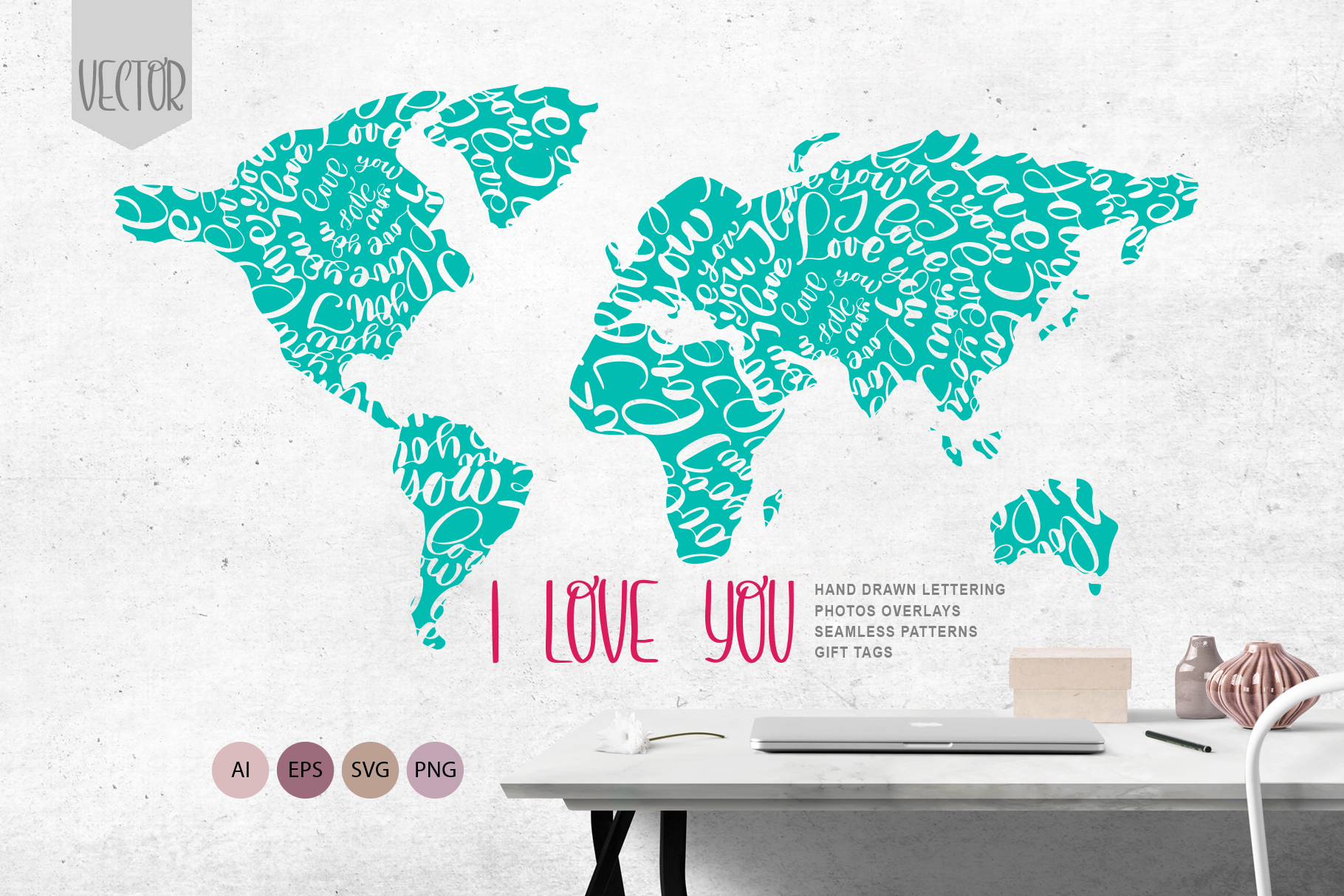
- A wedding planner creating a unified suite—save-the-dates, menus, place cards, and digital RSVP pages—can apply the same border pattern across formats, adjusting only color and layout. The stylized world maps (3 versions, each highlighting continents with heart motifs) work especially well as ceremony backdrop graphics or “where we met” visuals.
- A small business owner designing seasonal stickers for a boutique or café can layer the heart tags over product photos in Lightroom or Photoshop, using the PNGs for speed or SVGs for animated versions on Instagram Stories.
- An educator building a classroom Valentine’s Day dashboard in Google Slides benefits from the clean, readable vectors—no blurry edges when projected, and easy resizing to fit varied slide ratios.
That said, it’s not a universal solution. If your project demands photorealistic textures (e.g., watercolor washes, torn paper edges, or scanned ink strokes), this collection won’t deliver that tactile quality—its strength lies in precision, not raw texture. Likewise, if you need hundreds of isolated icons (hearts, doves, roses, etc.) for UI design or app development, the scope here is intentionally focused: 8 tags, 9 patterns, 8 cards—not an exhaustive icon library. It prioritizes repeatable, compositional elements over singular objects.
Comparison Context: Vectors vs. Raster Overlays, Bundles vs. Single-Use Assets
Designers often weigh vector overlays against raster alternatives (like PSD overlays or JPEG bundles). Raster options frequently offer richer grain, lighting effects, or blending modes—but at the cost of resolution limits and inflexibility. A 5000×5000px JPEG overlay looks sharp on an A4 card but may blur when scaled to a 4'×8' banner. With the Valentine’s Vector Photo Overlay Collection, the same pattern works identically at both sizes. That tradeoff—precision and scalability versus organic texture—is worth mapping to your output requirements before choosing.
Similarly, standalone assets (e.g., one SVG heart border purchased individually) offer low cost and specificity, but lack system-wide harmony. Bundles like this collection provide stylistic continuity across deliverables—a subtle but meaningful advantage when building a recognizable brand moment, whether for a couple’s wedding identity or a retailer’s holiday campaign. You’re paying not just for files, but for intentional visual alignment.
Decision Factors to Consider Before Choosing
Ask yourself these questions to assess fit:
- What’s your primary output medium? If most work is print-based or requires CMYK accuracy, EPS/AI support is essential—and this collection delivers that reliably.
- Do you need editable typography or multilingual support? Since all “I love you” tags use live, vector-based type, you can change font, spacing, or even substitute words—unlike raster text that would require redesign.
- How much time do you have for customization? The layered structure means less time spent rebuilding elements from scratch, but some familiarity with vector editors helps unlock full value. Beginners will still find PNGs usable, but may miss deeper efficiencies.
- Is stylistic restraint part of your goal? This collection avoids clutter. If your brand voice leans elegant, timeless, or quietly sentimental—not playful, cartoonish, or ultra-modern—it aligns naturally.
No single resource covers every need. But for creators who value coherence, technical reliability, and quiet sophistication over flashiness, the Valentine’s Vector Photo Overlay Collection offers a grounded, versatile foundation—not just decoration, but a design system for love-centered communication.