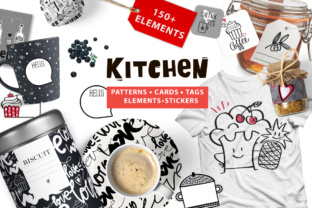
Kitchen Graphic Pack
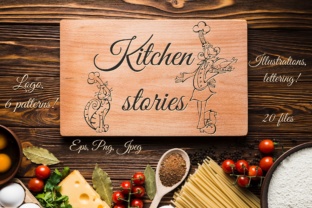
The Kitchen Graphic Pack is a curated collection of 150 vector-based illustrations focused exclusively on kitchen tools, utensils, and food-related objects. It includes commonly used items such as spoons, forks, knives, tongs, cutting boards, bowls, pots, jars, food storage cans, cups, and more. All elements are delivered in scalable vector formats—primarily Adobe Illustrator (AI) and EPS—along with raster PNG versions for immediate use in contexts where vectors aren’t supported.
This pack is designed for designers, illustrators, marketers, and crafters who need consistent, editable, and thematically cohesive visual assets for food- or household-related projects. Its structure supports flexibility: each element can be recolored, resized, layered, or combined without loss of quality. That makes it especially useful when adapting visuals across multiple output sizes or brand guidelines.
Why Consider the Kitchen Graphic Pack?
Designers often face recurring needs for thematic illustration sets—especially in industries like culinary publishing, meal-kit branding, kitchenware packaging, or food blog design. Sourcing individual icons or illustrations can be time-consuming and inconsistent in style. A unified pack like this offers a ready-made visual language. Users may be drawn to it for reasons including:
- Time efficiency: Avoiding the need to draw or source each item individually saves hours across projects.
- Style consistency: All 150 elements share a common line weight, proportion logic, and aesthetic approach—critical for cohesive branding or editorial layouts.
- Technical flexibility: Vector formats allow precise control over color, scale, and integration into larger compositions without pixelation or distortion.
- Production versatility: The inclusion of PNG files (95 total) means the assets work directly in web design, social media templates, or print-ready documents—even when vector support is limited.
Practical Benefits and Realistic Expectations
Because all elements are vectorized, users retain full editing control within compatible software. You can adjust stroke thickness, apply gradients, isolate parts of an illustration (e.g., handle vs. blade of a knife), or convert outlines to paths for further manipulation. This level of adaptability is particularly valuable for creating custom icons, infographics, or branded packaging mockups.
However, expectations should align with the pack’s scope. It does not include photorealistic textures, animated variants, or 3D models. The illustrations follow a clean, flat, outline-based style—not hand-drawn, sketchy, or highly detailed realism. If your project requires subtle shadows, material textures, or perspective depth, additional post-processing or complementary assets may be necessary.
Also note the file distribution: 41 AI files, 8 EPS files, and 95 PNGs. While AI and EPS ensure scalability and editability, the PNGs are provided at fixed resolutions. Their utility depends on intended use—e.g., web banners or social thumbnails—but they won’t scale cleanly beyond their native dimensions. Users planning large-format prints (like signage or wall decals) should rely primarily on the vector files.
When This Pack Is a Strong Fit
The Kitchen Graphic Pack works well in scenarios where thematic clarity, production speed, and stylistic unity matter more than bespoke illustration. For example:
- Menu design for restaurants or meal-prep services: Consistent icons help categorize dishes, dietary attributes (e.g., vegan, gluten-free), or preparation methods (e.g., grilled, baked).
- Packaging for kitchen tools or food products: Vector elements integrate cleanly into label layouts, product tags, or instructional graphics.
- Merchandise design: T-shirts, tote bags, aprons, or mugs benefit from bold, scalable icons that hold up at various print sizes.
- Digital content creation: Blog headers, recipe cards, or social media carousels gain visual rhythm from coordinated kitchen-themed graphics.
- Decoupage and craft applications: The PNG files—especially those with transparent backgrounds—can be printed, cut, and applied to surfaces like wood, glass, or ceramics.
In these cases, the pack serves as a foundational toolkit rather than a final solution. Its value increases when used alongside other design assets—typography, color palettes, photography—or integrated into existing brand systems.
When Alternatives May Be Worth Exploring
This pack is less suitable if your workflow demands high-fidelity realism, animation, or extensive customization beyond color and scale. For instance:
- UI/UX design for cooking apps: Interactive interfaces often require icon families with strict pixel grids, hover states, or accessibility contrast ratios—features not addressed by this collection.
- Architectural or interior visualization: Kitchen layout plans or 3D kitchen renders typically need orthographic views, accurate proportions, or manufacturer-specific models—beyond the illustrative scope here.
- High-end editorial illustration: Projects requiring expressive linework, texture variation, or narrative composition may benefit more from custom illustration or stylized stock libraries.
- Multi-language or culturally specific labeling: While the icons are broadly recognizable, some tools (e.g., specific types of mortars, regional cookware) aren’t included—and no contextual labels or translations are provided.
Additionally, users already invested in subscription-based graphic libraries (e.g., Adobe Stock, Noun Project, or Flaticon) may find overlapping assets there—sometimes with broader licensing terms or easier integration into existing workflows. Evaluating total cost of ownership—including time spent searching, editing, and verifying usage rights—is advisable before committing to a one-time purchase.
Making a Practical Decision
To determine whether the Kitchen Graphic Pack aligns with your goals, consider these questions:
- What’s your primary output medium? If you’re designing for print, web, packaging, or physical crafts—and need scalable, editable icons—the vector foundation is a strong advantage.
- How much time do you have for asset preparation? If sourcing, tracing, and unifying disparate icons would delay your timeline, a pre-vetted set reduces friction.
- Does your brand or project require strict visual consistency? A unified style across 150 items simplifies alignment with established guidelines.
- Do you have access to vector-editing software? Full utilization depends on familiarity with Illustrator or compatible tools; otherwise, PNG usage limits scalability.
- Is licensing clarity important? Review the included license terms—especially regarding commercial use, attribution requirements, and redistribution rights—before deployment in client work.
No single asset pack meets every need. The Kitchen Graphic Pack excels where thematic cohesion, technical flexibility, and practical scope intersect. It is not a replacement for custom illustration, nor a shortcut for strategic visual development—but for many food- and home-focused design tasks, it provides a reliable, reusable starting point.