Halloween Designs: Creative, Ready-to-Use Assets for Cards and Holiday Decor
Whether you're crafting handmade greeting cards for friends, designing themed party invitations, or decorating your storefront or classroom for October, Halloween Designs delivers professional-grade visual resources that save time, spark creativity, and elevate your output—without requiring design expertise.
At its core, Halloween Designs is a curated digital collection built specifically for practical, real-world use. It’s not just clipart or generic stock—it’s a thoughtfully assembled toolkit of lettering styles, playful illustrations, and cohesive decorative elements, all optimized for print and digital projects alike. What makes it especially valuable is how seamlessly its components integrate: patterns repeat flawlessly across large surfaces, elements layer cleanly on transparent backgrounds, and every file meets high-resolution standards for crisp, vibrant results.
Why People Turn to Halloween Designs Right Now
Many adults face familiar seasonal challenges each fall: limited time before Halloween, inconsistent access to design software, or uncertainty about what looks polished versus “craft-store basic.” You might be a small-business owner preparing window displays, a teacher organizing a classroom celebration, a DIY enthusiast making personalized cards, or a freelance designer juggling multiple client deadlines. In each case, the goal isn’t just “something Halloween-themed”—it’s something that feels intentional, visually unified, and effortlessly festive.
Common pain points include:
- Spending hours searching for usable, high-res assets—only to find low-quality JPEGs or watermarked files;
- Struggling to match fonts, colors, and illustration styles across different parts of a project (e.g., card front + envelope liner + banner);
- Printing decorations that look pixelated or washed out due to insufficient resolution;
- Wasting materials when trial-and-error designs don’t translate well from screen to physical product.
Halloween Designs directly addresses these issues by providing consistency, quality, and flexibility—all in one download.
What’s Inside—and Why Each Piece Matters
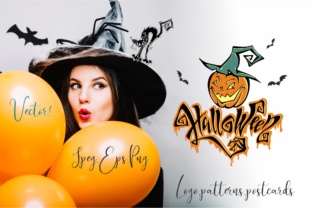
The collection includes two essential categories: 5 seamless patterns and 11 versatile design elements, delivered in industry-standard formats with thoughtful technical specs.
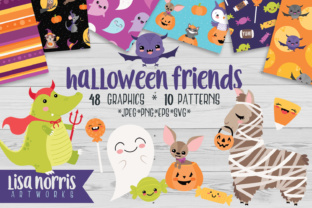
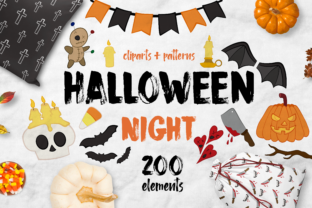
The 5 seamless patterns (EPS 10 and JPEG at 5000×5000 px, 300 dpi) are ideal for background textures on cards, wrapping paper, signage, or fabric prints. Because they’re truly seamless, you can tile them infinitely—no visible breaks or awkward repeats. Whether you’re creating a subtle cobweb motif for elegant stationery or a bold pumpkin-and-bat print for bunting, these patterns hold up beautifully at any scale.
The 11 design elements (EPS 10 and PNG with transparent backgrounds, plus JPEG versions) offer maximum adaptability. Think of them as building blocks: a hand-drawn “Boo!” banner, a set of whimsical ghosts with varying expressions, a vintage-style cauldron icon, or stylized candy corn motifs. Since each comes with transparency, you can drop them onto any color or texture—dark purple cardstock, kraft paper, or even a photo background—without needing to edit layers or remove white borders.
Lettering is intentionally expressive—not stiff or overused—and illustrations balance fun and sophistication. There’s no forced “kiddie” aesthetic unless you want it; instead, the style leans into warm nostalgia, playful charm, and clean execution—making it equally appropriate for adult-led events, boutique branding, or heartfelt handmade gifts.
Real-World Uses That Deliver Results
Here’s how people are putting Halloween Designs to work—with tangible outcomes:
- Card Makers: Combine a seamless pattern as a card base with layered PNG elements (like a floating jack-o’-lantern or script “Happy Halloween” lettering) to create unique, multi-textured greetings—ready to print at home or send to a local print shop.
- Teachers & Community Organizers: Use the EPS patterns to design reusable classroom posters or printable activity sheets. The transparent PNGs let you build custom bingo cards, award certificates, or door-decor templates in minutes—not hours.
- Small Retailers & Cafés: Scale the 5000×5000 px JPEGs for large-format printing: window decals, table tents, or seasonal menu boards. The high DPI ensures clarity even at 24×36 inches.
- Digital Creators: Import EPS files into Illustrator or Affinity Designer for vector-based edits—adjust colors, resize without loss, or combine with original artwork for client-ready social media graphics or email headers.
Tailoring Halloween Designs to Your Workflow
How you use Halloween Designs depends on your tools, timeline, and goals—but the collection supports multiple entry points:
If you’re comfortable in Adobe Illustrator or similar vector software, start with the EPS 10 files. They give you full editability: recolor individual paths, modify stroke weights, or isolate letters from a wordmark. For quick-turnaround projects, the high-res JPEGs work perfectly in Canva, Photoshop, or even PowerPoint—just drag, resize, and print.
For crafters using Cricut or Silhouette machines, the PNGs with transparent backgrounds import cleanly, and the crisp edges cut precisely—ideal for vinyl decals, iron-on transfers, or layered paper crafts.
And if you’re sharing files with a printer? The 300 dpi specification means no last-minute resolution warnings. You’ll avoid the common pitfall of sending 72 dpi web images expecting professional print quality.
Smart Considerations Before You Begin
Before diving in, keep a few practical tips in mind:
- Match your medium: Use JPEGs for simple overlays or web use; reserve EPS for scalable, editable work; rely on PNGs when transparency or layering is key.
- Test print first: Even with perfect specs, inkjet vs. laser printers render colors differently. Print a single element at actual size to check contrast and detail.
- Think beyond Halloween night: Many pieces—like neutral-toned patterns or minimalist icons—can extend into early November for “fall farewell” themes or Thanksgiving transitions.
- Respect licensing: This collection is intended for personal and commercial use (e.g., selling printed cards or decorated goods), but always verify the included license terms for redistribution or template resale.
Ultimately, Halloween Designs removes friction—not inspiration. It doesn’t replace your voice or vision; it empowers both. With reliable assets in hand, you spend less time troubleshooting files and more time connecting with people through meaningful, joyful, seasonally resonant creations.
When October rolls around, preparation shouldn’t mean panic. It should mean opening a folder, selecting a pattern, adding a favorite illustration, and knowing—before you even hit print—that it’s going to look exactly right.